

Microsoft Copilot can help your employees draft emails, prepare documents, analyze data, and manage everyday tasks more efficiently. But introducing AI into your business involves more than purchasing licenses and giving employees access to new features.
Your Microsoft 365 environment needs to be properly configured and business information must remain secure. Plus, employees need support as they learn to use AI in their daily work.
This is where Microsoft Copilot and managed IT services work together. With the right IT support, businesses can introduce Copilot while keeping their existing systems secure, reliable, and well-managed.
For small and mid-sized businesses in Toronto, Sun IT Solutions provides the assistant they need to adopt Copilot. We provide Microsoft 365 management, cloud services, cybersecurity, and ongoing IT support that can help create the foundation for successful AI adoption. From preparing your existing systems and managing access permissions to supporting employees after deployment, our team can help make Microsoft Copilot a practical part of your daily business operations.
Why Microsoft Copilot Needs a Strong IT Foundation
Microsoft 365 Copilot brings AI assistance into familiar applications such as Word, Excel, Outlook, PowerPoint, and Teams. It can also use relevant information from Microsoft 365 to help employees complete tasks.
For example, a sales manager could use Copilot to summarize customer emails and prepare a report using information available within the company’s Microsoft 365 environment. However, the quality and security of that experience depend on several factors.
Employees need appropriate Microsoft 365 licenses and access to supported applications. Company files must be organized and shared correctly, and IT administrators need to manage account security and permissions. If these areas are neglected, employees may encounter technical issues, outdated information, or access problems.
Managed IT services help businesses address these concerns through ongoing maintenance, security management, and technical assistance. Rather than treating Copilot as a separate tool, businesses can incorporate it into their existing IT strategy.
1. Prepare Your Microsoft 365 Environment for Copilot
Before employees begin using Copilot, your organization should review its existing Microsoft 365 setup. This includes checking subscriptions, user accounts, application versions, and the Microsoft services required for specific Copilot features.
For example, some Outlook capabilities depend on Exchange Online, while file-based experiences may require OneDrive or SharePoint.
Businesses should also confirm that their applications receive supported updates and that network configurations allow the required Microsoft connections.
Through Microsoft 365 consulting, Sun IT Solutions can help assess your existing environment, identify potential configuration issues, and plan the technical improvements needed for Copilot adoption.
If your business is still transitioning from older systems, you can check our Microsoft 365 migration services for SMBs to know how to prepare for a cloud-based workplace.
2. Connect Copilot With a Well-Managed Cloud Environment
Microsoft Copilot becomes more useful when employees can access the business information they need through properly managed Microsoft 365 services.
SharePoint and OneDrive support document storage and collaboration, while Teams helps employees communicate and work together. However, businesses often have files scattered across personal folders, shared drives, and outdated document libraries.
Imagine a consulting company where employees maintain different versions of the same client proposal. Copilot may find information in documents the employee can access, but it cannot automatically determine which file represents the company’s approved version.
Organizing documents, establishing clear ownership, and maintaining appropriate access permissions can improve the reliability of information available to employees.
Sun IT Solutions’ cloud and Microsoft 365 management services can support businesses as they organize their environments, maintain cloud resources, and improve collaboration.
3. Strengthen Cybersecurity Before Expanding AI Use
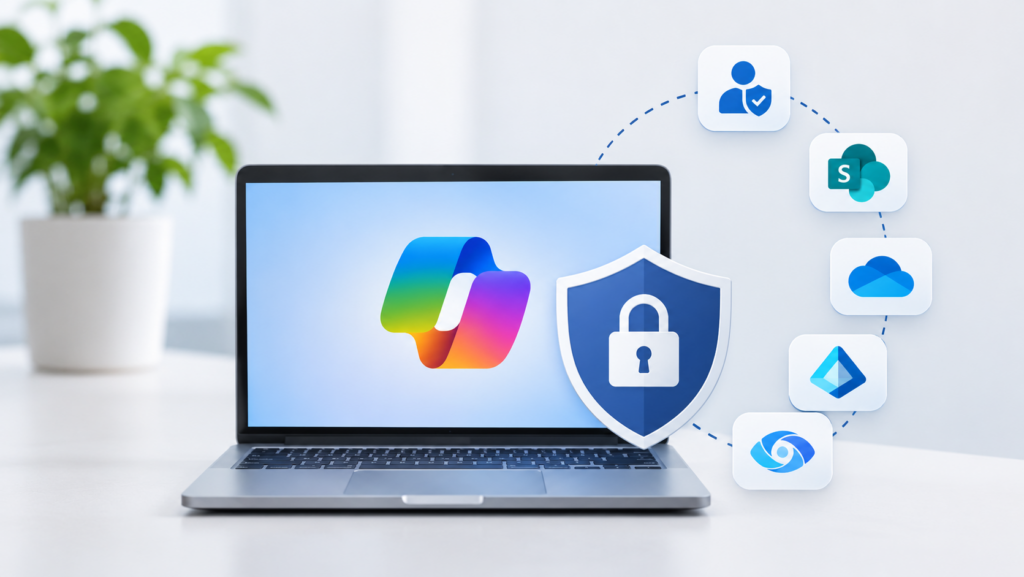
Security is another important reason to combine Copilot adoption with professional IT management. Copilot follows existing Microsoft 365 permissions. If confidential files are shared too broadly, employees who already have access may be able to discover that information through Copilot.
For example, a company might accidentally allow an entire department to access confidential financial documents stored in SharePoint.
An effective cybersecurity strategy should address these risks before wider AI deployment. Important measures include:
- Enforcing multi-factor authentication for employee accounts
- Reviewing SharePoint and OneDrive permissions
- Managing administrative and guest access
- Protecting sensitive business information
- Monitoring suspicious sign-ins and security alerts
Microsoft also provides security and compliance capabilities through Microsoft Entra ID and Microsoft Purview, depending on organizational licensing.
Sun IT Solutions offers cybersecurity and managed security services that can support these requirements. For a closer look at specific risks, read our guide to Microsoft Copilot security and data privacy for Canadian businesses.
4. Choose the Right Copilot Licenses and Start Small
Not every employee needs a paid Copilot license immediately. A business might have 50 employees, but only 15 regularly prepare reports, analyze spreadsheets, or manage extensive customer communication. Starting with those employees can help the organization evaluate whether the investment is worthwhile.
Microsoft offers different Copilot licensing options for eligible business and enterprise subscriptions. Businesses researching Microsoft Copilot in Canada should review current eligibility, features, and purchasing arrangements before making a decision.
As an experienced IT partner, Sun IT Solutions can help businesses assess existing subscriptions, identify suitable users, and avoid purchasing unnecessary licenses. Microsoft also recommends a phased deployment approach, allowing organizations to address technical issues and collect employee feedback before expanding access.
Our Microsoft Copilot readiness checklist explains the key requirements businesses should review before beginning their rollout.
5. Help Employees Use Copilot Effectively
Even when Microsoft Copilot is configured correctly, employees may not immediately understand how to make the most of it. Some may use it only for basic questions, while others may be uncertain about working with confidential documents or checking AI-generated information.
Practical training can help employees become more comfortable with the technology. For example, an administrative employee could learn to summarize Outlook email threads, while a project manager could use Copilot to identify action items from Teams meetings.
A useful training plan should cover:
- Writing clear prompts for everyday business tasks
- Understanding which Copilot features are available
- Reviewing AI-generated content for accuracy
- Handling sensitive company and customer information
- Knowing where to get help when something doesn’t work
Sun IT Solutions can organize dedicated training sessions to help employees understand Copilot’s features, practice real-world tasks, and learn how to use AI responsibly. Our team can also provide ongoing technical support to address questions and help employees use Copilot confidently in their daily work.
6. Keep Microsoft Copilot Running With Ongoing IT Support
The work doesn’t end after Copilot is deployed. Microsoft regularly updates its applications and cloud services. Employees may encounter feature availability issues, sign-in problems, or changes in how Microsoft 365 applications behave. User permissions also need ongoing attention as employees join the company, move into different roles, or leave.
Managed IT services provide a way to handle these responsibilities without placing the entire workload on an internal employee.
Sun IT Solutions’ managed IT services in Toronto include technical support, proactive maintenance, cloud management, cybersecurity assistance, and more. Having one IT partner manage the wider environment can make troubleshooting and administration easier.
Ongoing support also allows businesses to review their Copilot deployment as new requirements arise. For example, when a company expands its sales department, its IT provider can help review user licensing, configure new accounts, and ensure employees have appropriate access to business information.
7. Measure Whether Copilot Is Improving Productivity
Introducing Microsoft Copilot should have a measurable purpose. Before expanding licenses across the company, identify a few tasks where employees regularly spend substantial time.
A customer service team might measure the time required to draft routine responses. A finance department could evaluate how quickly employees prepare recurring spreadsheet summaries.
Microsoft provides Copilot readiness and usage reports in the Microsoft 365 admin center. Depending on the available reporting capabilities, administrators can review adoption trends and application usage.

These reports can help IT teams understand whether employees are using Copilot, although usage alone doesn’t prove productivity improvements. Combine the reports with employee feedback and business-specific measurements. If employees are struggling with a particular feature, additional training or configuration adjustments may be more useful than purchasing more licenses.
This approach helps organizations make informed decisions about expanding their AI solutions for business.
What Does an AI-Ready Workplace Look Like?
An AI-ready workplace isn’t necessarily one where every employee uses Copilot throughout the day. It’s an organization where employees can access the right information, use reliable applications, and receive support when they need it.
Consider a 40-person professional services company in Toronto. Its employees use Outlook for client communication, Teams for meetings, and SharePoint for project documents.
With a properly managed Microsoft 365 environment, the company could introduce Microsoft Copilot to a small group of employees who spend significant time preparing proposals and reports. The IT team could review permissions, configure licenses, provide onboarding guidance, and monitor adoption. As employees become comfortable with Copilot, the business could expand access based on actual needs and results.
This is how Microsoft Copilot for Business can become part of a broader technology strategy rather than another subscription employees rarely use.
Get Started With Microsoft Copilot and Managed IT Services
Microsoft Copilot can help businesses work more efficiently, but its long-term value depends on the technology and support behind it. Combining Copilot with managed IT services helps organizations maintain a secure Microsoft 365 environment, support their employees, and adapt as their technology needs change.
So, contact Sun IT Solutions to discuss how our Microsoft 365 and managed IT services can support your business as it prepares for AI.
