

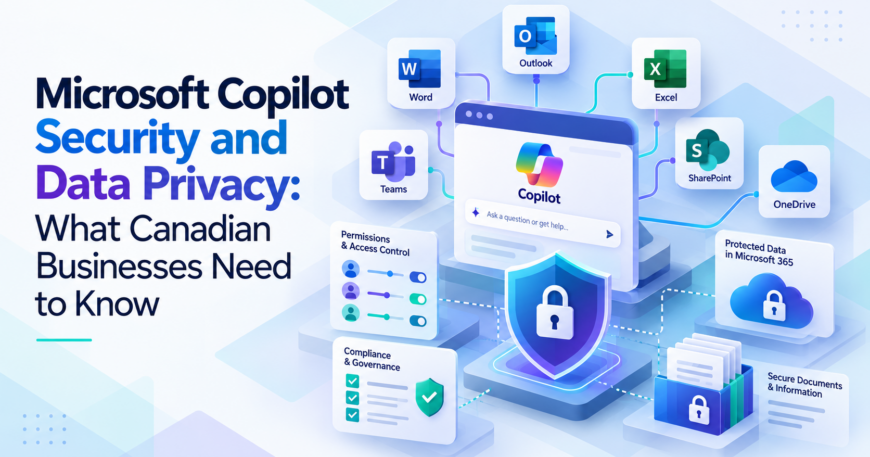
Microsoft Copilot is becoming part of everyday business operations, helping employees summarize emails, analyze spreadsheets, and work with company documents. As more organizations adopt these tools, one question deserves attention: How secure is the business information Copilot uses?
Microsoft Copilot security relies heavily on the protections already in place within Microsoft 365. While Microsoft provides enterprise-grade data protection, businesses still need to manage employee access, protect confidential files, and establish clear policies for using AI.
For small and mid-sized businesses in Canada, understanding these responsibilities is essential before rolling out Copilot. This guide explains how Microsoft protects organizational data, where potential privacy risks arise, and what your business can do to use Copilot securely.
How Does Microsoft Copilot Protect Business Data?
Microsoft 365 Copilot works within the Microsoft 365 environment and uses Microsoft Graph to access relevant business information. Depending on the user’s permissions, this may include emails, Teams conversations, SharePoint documents, and OneDrive files.
Microsoft states that Copilot follows the security and compliance controls already applied to organizational data. It also provides enterprise data protection under the applicable Microsoft commercial agreements.
One important assurance concerns AI training. According to Microsoft’s official privacy documentation, prompts, responses, and information accessed through Microsoft Graph are not used to train its foundation language models.
However, this protection doesn’t eliminate every security concern. Businesses remain responsible for configuring access permissions and deciding how employees should handle sensitive information.
1. Review Microsoft 365 Permissions to Prevent Data Exposure
One of the biggest security concerns with Copilot involves files that employees can already access.
Copilot respects existing Microsoft 365 permissions. If a user has permission to view a document, Copilot may retrieve information from it when answering relevant questions.
Consider a Toronto company that stores employee salary records in SharePoint. If the folder was accidentally shared with everyone in the organization, employees might be able to discover those records through Copilot.
The underlying problem is the incorrect sharing permission. Copilot can make the information easier to locate, increasing the importance of reviewing existing access.
Before deploying Microsoft Copilot for Business, examine:
- SharePoint sites with broad employee access
- OneDrive files shared through unrestricted links
- External users who no longer require access
- Confidential folders with outdated permissions
Microsoft recommends addressing oversharing as part of its secure Copilot deployment guidance.
2. Strengthen Identity and Access Management
Protecting business information starts with controlling who can sign in and what they can access.
Microsoft Entra ID manages organizational identities across Microsoft 365. Administrators can use it to review user accounts, manage access privileges, and apply authentication policies.
Multi-factor authentication (MFA) is particularly important. It adds another verification requirement during sign-in and helps reduce the risk of unauthorized access when passwords are compromised.
Businesses should also follow the principle of least privilege. Employees should receive access appropriate to their responsibilities, and administrative permissions should be limited to authorized personnel.
For example, a sales representative may need customer proposals and sales reports but usually shouldn’t have access to confidential HR records.
Review inactive accounts and guest access regularly. Employee departures and changes in job responsibilities can leave unnecessary permissions in place if nobody updates them.
3. Protect Sensitive Information With Microsoft Purview
Some company information requires stronger protection than ordinary business documents when considering Microsoft Copilot security.
Financial statements, customer records, employment agreements, and confidential contracts may contain sensitive details. Businesses need controls that help prevent this information from being shared or used inappropriately.
Microsoft Purview provides tools for classifying and protecting data across Microsoft 365.
Use Sensitivity Labels
Sensitivity labels allow organizations to classify information according to its confidentiality.
For example, an employee handbook might receive an Internal label, while a document containing customer financial information could be marked Confidential.
Depending on the settings, labels can apply encryption and access restrictions. Copilot respects supported sensitivity-label protections when retrieving or processing content.
Configure Data Loss Prevention Policies
Data loss prevention (DLP) policies can help identify and restrict sensitive information.
Microsoft Purview supports policies that can prevent Microsoft Copilot Canada from processing certain protected documents based on their sensitivity labels.
For example, a business could restrict Copilot from summarizing files marked Highly Confidential while allowing employees to work with less sensitive documents.
Available capabilities depend on Microsoft licensing and policy configuration. Microsoft’s Purview documentation for Copilot explains the supported controls.
4. Improve SharePoint and OneDrive Data Governance
Strong permissions are important in Microsoft Copilot security, but Canadian companies also need to know what information they are storing.
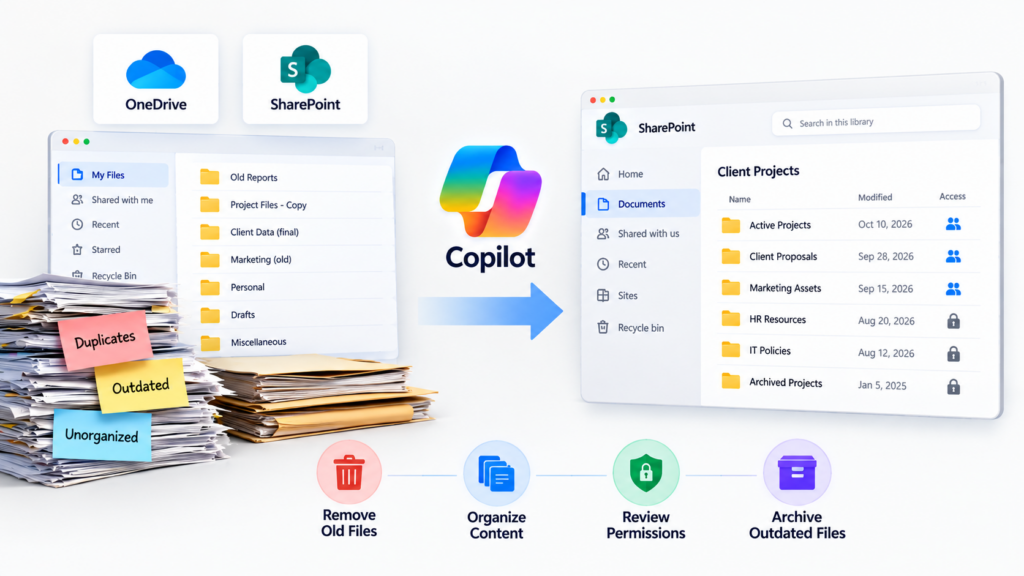
Many businesses have accumulated years of documents across SharePoint and OneDrive. Old customer records, duplicate reports, and abandoned project folders can remain accessible long after employees stop using them.
This becomes a concern when Copilot searches organizational content. Outdated information may appear in responses, while poorly managed files can create unnecessary exposure.
A regular data governance process can help address these problems. Start by identifying sensitive document libraries and reviewing their owners. Remove obsolete files according to your organization’s retention policies, and check whether shared folders still need their existing access settings.
For example, a consulting business could maintain separate SharePoint locations for active client projects and archived records, with permissions appropriate to each.
Microsoft also provides SharePoint Advanced Management capabilities for identifying overshared content and managing access across sites.
Our Microsoft Copilot readiness checklist covers additional steps for preparing SharePoint, OneDrive, and the wider Microsoft 365 environment.
5. Understand Canadian Data Privacy Requirements
Businesses adopting Microsoft Copilot in Canada should consider their obligations under applicable privacy laws.
The Personal Information Protection and Electronic Documents Act (PIPEDA) governs personal information handling in many private-sector commercial activities. Some provinces also have their own private-sector privacy legislation.
Under PIPEDA, organizations must protect personal information using safeguards appropriate to its sensitivity. These responsibilities continue when businesses use cloud services or AI tools to process that information.
The Office of the Privacy Commissioner of Canada recommends reviewing how AI systems handle personal data and limiting unnecessary disclosure.
Where Is Microsoft Copilot Data Stored?
Microsoft provides data residency commitments for eligible Microsoft 365 customers in Canada.
According to Microsoft’s data residency documentation, the location where Copilot interaction data is stored depends on the organization’s tenant configuration and applicable contractual commitments.
Businesses should also distinguish between data storage and processing. Certain processing activities may occur outside Canada, depending on the service and configuration.
If your company has contractual or regulatory requirements concerning data location, ask your IT administrator to verify the relevant Microsoft commitments before deployment.
6. Establish Clear Policies for Employee Copilot Use
Technical security controls cannot prevent every mistake employees might make while using AI.
Staff should understand which types of information they can use with Copilot and when additional approval is required.
For example, a customer service employee might use Microsoft Copilot in Toronto to draft a routine email. Working with confidential legal documents or sensitive customer records may require greater care and additional safeguards.
A practical employee policy should address:
- Appropriate use of confidential business information
- Reviewing AI-generated content before sharing it
- Handling sensitive customer and employee records
- Reporting unexpected access to restricted information
Businesses should also review any third-party agents or connected applications before allowing employees to use them. Their permissions and privacy terms may differ from the core Copilot experience.
Microsoft Copilot can also generate web searches through Bing when that feature is enabled. These searches have separate data-handling practices, so administrators should understand the relevant settings.
Employee training is an important part of maintaining Microsoft Copilot security after deployment.
7. Monitor Copilot Activity and Maintain Security Controls
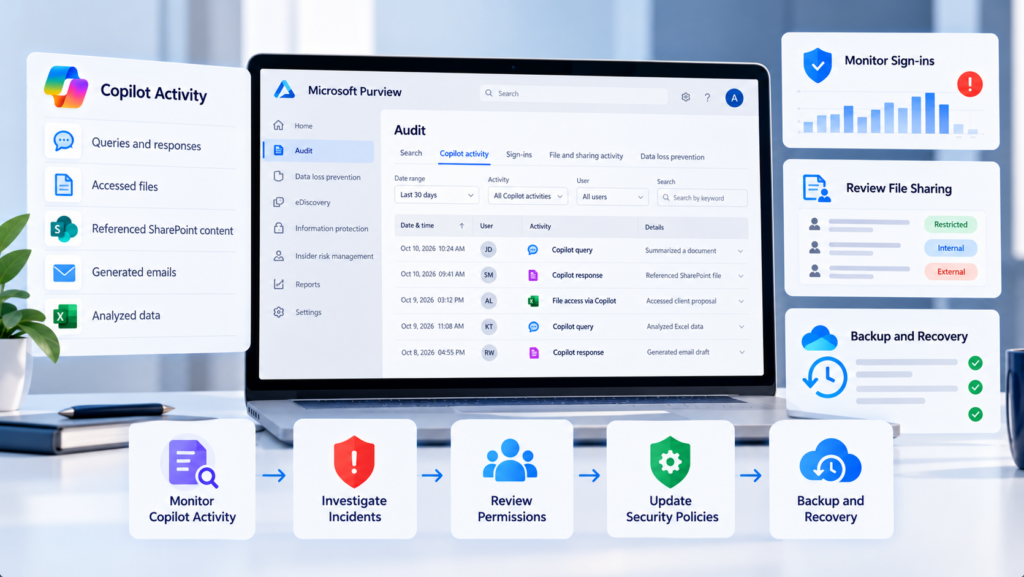
Security management continues after Copilot is introduced. Microsoft Purview provides auditing and compliance capabilities that can help organizations review Copilot interactions, investigate incidents, and apply retention policies.
For example, an administrator may need to investigate whether sensitive information was referenced during an AI interaction. The available audit records and investigation tools depend on the organization’s licensing and configuration.
Businesses should also continue monitoring suspicious sign-ins, reviewing file-sharing permissions, and updating security policies.
Backup and recovery planning remains important. Copilot doesn’t replace the need to recover business files after accidental deletion or a cybersecurity incident.
Our guide to protecting Microsoft 365 data with Microsoft 365 Backup explains how businesses can approach data recovery. For smaller organizations without a dedicated IT security team, managing these responsibilities may require outside technical support.
How Sun IT Solutions Can Help Secure Your Microsoft Copilot Deployment
Implementing Copilot securely requires an understanding of your existing Microsoft 365 environment and how employees access company information.
Sun IT Solutions provides managed IT services, cloud solutions, and cybersecurity support to businesses across Toronto and surrounding areas.
Our experience with Microsoft 365 management and business IT security can help organizations prepare for Copilot implementation.
Microsoft 365 Security Assessment
Through Microsoft 365 Consulting, we can help businesses review their existing environment, identify access concerns, and plan improvements before deploying Copilot.
This includes examining user accounts, security configurations, and data-sharing practices that could affect how organizational information is accessed.
Secure Configuration and Access Management
Our team can assist with Microsoft 365 security configuration, authentication policies, and permission management.
Businesses exploring AI Solutions for Business can benefit from having their underlying IT environment reviewed before introducing additional capabilities.
Ongoing IT Support and Security Management
Copilot adoption introduces new support requirements as employees begin using AI in their daily work.
With our managed IT services in Toronto, businesses can receive technical assistance, proactive system monitoring, and cybersecurity support.
Organizations seeking Microsoft 365 support in Toronto can also work with our team to address configuration issues and maintain their Microsoft environment.
Protect Your Business Data Before Adopting Microsoft Copilot
Microsoft Copilot offers valuable productivity benefits, but companies need to understand how their information is accessed and protected.
Reviewing permissions, strengthening account security, and introducing appropriate data governance controls can reduce the risks associated with AI adoption. Regular monitoring and employee training help maintain those protections as usage expands.
If you’re planning a Microsoft Copilot Toronto deployment, Sun IT Solutions can help you evaluate your current environment and identify the security improvements needed before rollout.
Contact Sun IT Solutions to discuss your Microsoft 365 security requirements and get guidance on implementing Copilot in your business.
